3D Model: How People Use Digital Objects in Everyday Life
You might associate 3D models with blockbuster movies or the latest video game releases. But in reality, digital 3D objects have quietly become a practical tool for all kinds of everyday tasks. From freelancers to small business owners, educators to home renovators, people are using 3D models to solve problems, save money, and express ideas. This isn’t just about fancy software or technical expertise. It’s about understanding how a digital shape can have a real impact on your work or hobby.
From Concept to Creation – How Creators Use 3D Models
If you’re a graphic designer or illustrator, you’ve likely used a 3D model to speed up your workflow. Instead of drawing every angle of a product by hand, you can build a digital object and rotate it as needed. An independent artist I know makes custom sneaker designs using a free 3D modeling tool. She can test colorways and textures before ever cutting a piece of fabric. That’s hours saved and a much lower risk of expensive mistakes.
Architects and interior designers rely on 3D models to show clients what a space will actually look like. Rather than flipping through flat blueprints, homeowners can walk through a digital version of their future kitchen. This approach helps avoid miscommunication and costly rework. For a small design firm, being able to present a realistic 3D model often makes the difference between winning a project or losing it to a competitor.
Product Mock-ups Without the Factory
Maybe you sell handmade goods online. Using a 3D model of your product lets you create professional-looking marketing images without hiring a photographer. Jewelry makers, pottery artists, and even soap creators use this trick. You can place your 3D model in a virtual scene, adjust the lighting, and generate photos that look like they belong in a catalog. It’s a low-cost way to boost your brand’s visual appeal.
A Hands-On Classroom – 3D Models in Education
Teachers and educators have found that 3D models turn abstract concepts into tangible objects. A biology instructor can pull up a 3D model of a human heart and rotate it, zoom in, and remove layers. Students learn faster when they can see the spatial relationships between parts. History teachers use 3D reconstructions of ancient ruins to take students on virtual field trips. No permission slips needed, and no travel budget required.
For homeschooling parents or self-learners, free online repositories offer thousands of 3D models. You can download a model of a solar system, a molecule, or a historical artifact and explore it on your own screen. This kind of interactive learning keeps attention spans longer than a textbook ever could.
Prototyping Without the Price Tag
Entrepreneurs and inventors used to rely on expensive molds or hand-built prototypes. Now, a 3D model can be created in a few hours with free software like Tinkercad or Blender. You can check the proportions, test fitments, and even simulate stress on the object. Only when you’re satisfied do you move to a physical prototype via 3D printing or a service bureau.
A friend of mine runs a small kitchen gadgets brand. He designs each utensil as a 3D model first, then prints it on a desktop printer. He catches design flaws—like a handle that’s too short or a shape that’s awkward to hold—before spending thousands on injection molds. That practical step has saved him from launching products that wouldn’t sell.
Rapid Iteration for Freelancers
Freelance engineers and product designers use 3D models to show multiple versions of a concept to clients without building each one physically. You can adjust dimensions, change materials, and present three variations in a single meeting. Clients appreciate the speed, and you get faster approvals because they can see exactly what they’re getting.
Marketing That Pops – Visuals That Sell
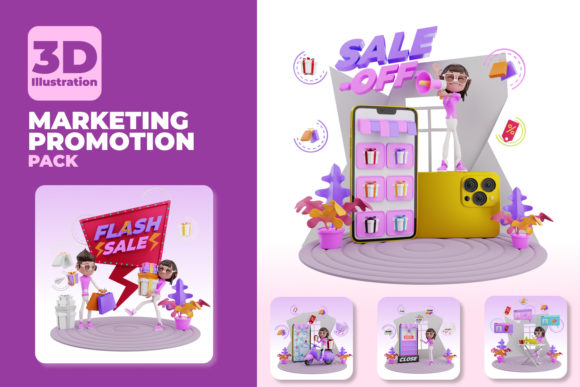
Marketers and content creators constantly need fresh imagery. A 3D model allows you to generate product photos, animations, and interactive web experiences without hiring a photographer or setting up a studio. E-commerce stores use 3D models to let customers rotate products and view them from every angle. This reduces uncertainty and often leads to fewer returns.
Augmented reality (AR) ads rely heavily on 3D models. Imagine a furniture store that lets you place a virtual sofa in your living room through your phone’s camera. That’s a 3D model at work. Shoppers feel more confident buying online when they can see how something fits in their own space. For a small business, offering an AR experience doesn’t have to be expensive; many platforms now support simple 3D model uploads.
Home Improvement and DIY Projects
If you’re remodeling your kitchen or building a deck, a 3D model can help you plan every detail. You can measure your room, import a 3D model of your appliances, and try different layouts. This saves you from buying cabinets that don’t fit or ordering a countertop with the wrong dimensions. Many home improvement apps include basic 3D modeling tools that feel more like playing than working.
For the DIY crowd, 3D models are the first step before 3D printing replacement parts, custom brackets, or decorative items. A hobbyist who repairs vintage electronics can model a broken gear, print a new one, and have their machine running again. That’s a practical outcome that would have required a lathe or manual sculpting just a decade ago.
Medical and Scientific Visualization
Doctors and medical professionals use 3D models derived from scans to plan surgeries. A surgeon can rotate a 3D model of a patient’s organ, study the anatomy, and rehearse the procedure. This directly improves outcomes and reduces operating time. For patients, being shown a 3D model of their condition helps them understand the treatment plan without medical jargon.
Researchers in fields like paleontology, archaeology, and chemistry rely on 3D models to share data. Instead of shipping fragile fossils, they send digital scans. Students can study rare specimens from anywhere in the world. The barrier to accessing specialized knowledge has never been lower, thanks to shared 3D models.
Considerations Before Diving Into 3D Modeling
Before you start building your own 3D models, think about what you actually need. If you only need one or two models, it might be faster to download existing ones from online libraries. Websites like Thingiverse, Sketchfab, and free model repositories offer thousands of objects ready to use. For unique projects, learning a beginner-friendly tool like Tinkercad or SketchUp can get you started without overwhelming complexity.
Hardware matters more than you might expect. A powerful graphics card speeds up rendering and allows you to handle detailed models. But if you have a recent laptop, it can probably run basic modeling software without issues. Start with free trials or open-source programs. Blender is a full-featured option that costs nothing, though it has a steep learning curve. Tinkercad runs in your browser and is ideal for simple shapes and entry-level users.
File formats are another practical detail. STL files are standard for 3D printing, while OBJ and FBX work better for animation or AR. Make sure you know what format your printer or platform expects. Exporting in the wrong file type can lead to wasted time.
Learning vs. Doing – Finding the Balance
You don’t need to become a 3D modeling expert to benefit from 3D models. Many people hire freelance 3D modelers on platforms like Fiverr or Upwork for one-off projects. If you run a small business, outsourcing a product 3D model may be cheaper and faster than learning the software from scratch. On the other hand, if you plan to create models regularly, investing a few hours in tutorials pays off quickly. There are free video courses that teach you how to make a simple chair or bottle in under an hour.
Connecting 3D Models to Your Own Needs
Take a moment to consider your own situation. Maybe you’re a blogger who wants custom 3D graphics for your posts. Or a fitness instructor who wants to create a 3D model of a yoga pose for online classes. Perhaps you’re a small manufacturer looking to test a new product idea before committing to tooling. In each case, a 3D model acts as a bridge between an idea and a finished result.
The beauty of 3D models today is accessibility. You don’t need a big studio or a large budget. You can start with your phone’s camera to scan a real object, or build a simple shape in a free web app. From there, you can export, print, animate, or share your creation. Whether you’re solving a practical problem or exploring a creative whim, the digital object you build can become something very real.
Start small. Try modeling something you already own—a mug, a keychain, or a toy. See how the process feels. Once you get comfortable, you’ll find opportunities to apply 3D models in places you never expected. That first useful outcome, whether it’s a fixed household item or a polished marketing visual, will show you just how versatile a digital object can be.