3D Realistic iPad Mockup Design Explained
When you need to present an app, a portfolio, or a digital product in a way that feels tangible and professional, a flat screenshot often falls short. That is where 3D realistic iPad mockup design comes into play. Instead of showing a static image on a plain background, you place your work inside a lifelike iPad frame — complete with realistic lighting, shadows, angles, and even subtle reflections. The result is a presentation that looks like a photograph of a real device, not a doctored file. For anyone who creates content, sells digital goods, or markets an online service, this approach can transform how the audience perceives the work.
At its core, a 3D realistic iPad mockup is a pre-built template — often a layered PSD, a Smart Object file, or a rendered 3D scene — that lets you insert your own design into a convincingly real environment. The device itself may appear slightly tilted, held in a hand, resting on a desk, or leaning against a book. What makes these mockups valuable is not just the device shape but the way the surrounding light and texture interact with the screen. The screen seems to glow naturally, the bezels catch highlights, and the overall image carries a depth that flat images lack.
Why This Approach Matters for Your Work
People often judge quality within seconds. If you present an app or a website interface on a plain white background, the viewer has to imagine how it would look on an actual device. That mental jump may not always happen, especially for casual visitors or potential clients who are not designers themselves. A 3D realistic iPad mockup removes that gap. It shows the design in context, making it immediately clear that this is a polished product meant for real use.
Beyond the visual appeal, there is also a psychological layer. Seeing a design inside a realistic device conveys a sense of professionalism and care. It signals that you have taken the extra step to present your work properly. For freelancers pitching to a client, this can make the difference between a proposal that feels amateur and one that feels agency-grade. For small business owners promoting a new app, it helps build trust before the user has even downloaded anything.
- Credibility – A realistic mockup suggests the product is ready or close to launch.
- Engagement – Viewers spend more time looking at images that feel three-dimensional.
- Clarity – The device frame helps focus attention on the screen content.
- Versatility – The same mockup can be used in social media posts, landing pages, pitch decks, or print materials.
Who Benefits From Using These Mockups
The short answer is almost anyone who needs to showcase a digital design, but the benefits vary by role.
Graphic designers and UI/UX professionals use these mockups to populate their portfolios with work that looks finished. Instead of showing wireframes or bare screenshots, they place their designs inside an iPad and present them as part of a lifestyle scene. A portfolio page with realistic device mockups tends to hold attention longer and often leads to more inquiries.
Marketers and bloggers frequently use iPad mockups to promote digital products such as ebooks, online courses, or membership sites. An ebook cover displayed on an iPad screen feels more like a real product than a flat thumbnail. It also works well for social media graphics where visual impact matters within a crowded feed.
Entrepreneurs and small business owners who are launching an app or a web service can use iPad mockups in their pitch decks, investor presentations, and promotional emails. The mockup helps communicate the value of the product quickly, without requiring the viewer to imagine how the interface would look on a real device.
Educators and course creators often need to show digital materials in a way that feels accessible. A mockup of an iPad displaying a course module or a lesson page can make the learning experience seem more inviting and modern.
Freelancers and hobbyists benefit from mockups because they do not need to own an iPad or a photography setup to create professional-looking images. A good template does the heavy lifting, and the learning curve is minimal.
Realistic Use Cases Across Different Contexts
To see how this works in practice, consider a few everyday scenarios that are common among the audience described here.
Showcasing a New App Concept
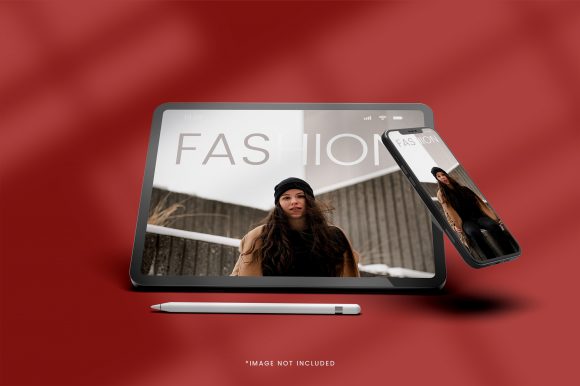
Imagine you have designed a habit-tracking app and want to share it on Dribbble or Behance. A flat screenshot of the dashboard tells only part of the story. By placing that same dashboard inside a 3D realistic iPad mockup that shows the device at a slight angle, with a soft shadow falling on a wooden desk, the image instantly looks like a final product. You can even pair it with a second mockup showing the same app on an iPhone for a cohesive brand presentation. Viewers scrolling through a portfolio platform are far more likely to stop on an image that feels dimensional.
Promoting a Digital Course or Ebook
Suppose you run a small online business selling a guide about urban gardening. Instead of using a flat cover image, you place the cover on an iPad screen, with the device resting on a garden table next to a small potted plant. The mockup does more than show the cover — it suggests a lifestyle and a setting. That emotional connection is hard to achieve with a plain image. For social media ads, this type of visual tends to get higher click-through rates because it looks less like stock advertising and more like a genuine recommendation.
Building a Client Proposal
Freelancers often send PDF proposals that include mockups of the work they plan to deliver. Including a 3D realistic iPad mockup in the proposal shows the client exactly what the final result will resemble. It reduces ambiguity and helps the client feel confident about the investment. When the mockup includes a natural environment — like a desk with a notebook and a coffee cup — the proposal feels more like a collaborative vision and less like a dry document.
Social Media Content for a Brand
Brands that want to highlight a new feature or a limited-time offer can use iPad mockups in Instagram posts or LinkedIn banners. The device frame naturally draws the eye, and the realistic lighting makes the image look premium. Even a simple tweet announcing an update becomes more noticeable when accompanied by a well-lit mockup rather than a basic screenshot.
How to Choose a Mockup That Fits Your Needs
Not all mockups are created equal, and a few important factors can affect how useful a particular template will be for your specific project.
- Perspective and angle – Some mockups show the iPad flat on a surface, while others show it held in a hand or angled on a stand. Think about where the image will appear. For a hero image on a landing page, a slightly angled view often works better than a straight-on shot because it feels more dynamic.
- Lighting and environment – A mockup with warm lighting and a wooden desk background suits a lifestyle brand, while a clean white or studio-style mockup works better for a corporate presentation. Match the mood of the mockup to the tone of your brand.
- Screen reflection and glare – High-quality mockups include realistic screen reflections that make the device look like glass. Too much glare can hide your design, so check how the mockup handles screen visibility before purchasing or downloading.
- Ease of customization – Look for mockups that use Smart Objects in Photoshop or similar easy-replace features in other software. You want to swap your design in seconds, not spend hours masking layers.
- Resolution and scaling – Ensure the mockup is available in a resolution high enough for your intended use. A mockup meant for a website header may need different dimensions than one meant for a printed brochure.
Practical Observations for Beginners
If you are new to using 3D realistic iPad mockups, start simple. Pick one mockup that matches a common use case — for example, an iPad resting on a clean desk surface with neutral lighting. This type works for almost any project and gives you a safe place to practice inserting your designs. Most templates come with instructions, and many include a preview image showing where to place your content.
It is also worth noting that you do not need high-end design software for every mockup. Some providers offer browser-based tools where you upload your image and download the result without opening Photoshop. Others offer Canva-compatible templates. Choose the workflow that matches your current skill level and tools.
A common mistake beginners make is choosing a mockup with a busy background that distracts from the screen. A cluttered desk or a strong pattern can pull attention away from your design. Start with clean, minimal environments and only move to more complex scenes once you have a clear reason for doing so.
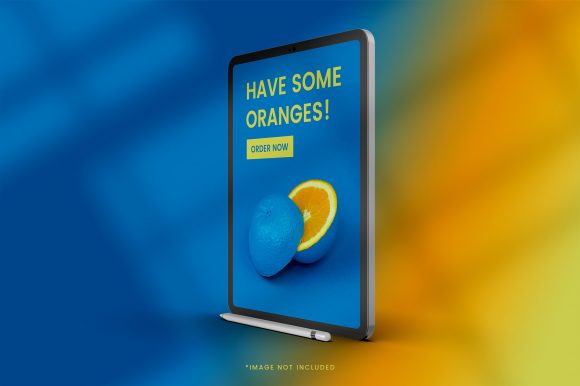
Another practical tip is to consider the device orientation. If your design is a portrait-oriented app, look for a mockup that holds the iPad vertically. For a video or a dashboard, a horizontal orientation may be more natural. Using the wrong orientation forces you to crop or stretch your design, which undermines the realism.
Important Considerations Before Committing to a Mockup
While 3D realistic iPad mockups are powerful tools, they are not a substitute for good design. The mockup enhances your work, but it cannot fix a poorly thought-out interface or low-quality visuals. Make sure the screen content you insert is polished and properly scaled before placing it inside the device frame.
Also, pay attention to licensing. Many free mockups come with restrictions, such as requiring attribution or limiting use for commercial projects. If you are a freelancer or business owner creating materials for clients or customers, verify that the mockup license covers commercial use. A small upfront investment in a high-quality template often saves time and avoids legal headaches later.
Finally, consider the diversity of devices your audience may use. If you are presenting an app that works across iPhone, iPad, and Android tablets, include mockups for each relevant device. Using only an iPad mockup may give the impression that the product is exclusive to Apple users, even if that is not the case.
In practice, the best approach is to build a small library of two or three reliable iPad mockups that you can adapt quickly. Over time, you will develop a sense for which angles, backgrounds, and lighting conditions align best with your brand and your audience. The goal is not to collect hundreds of templates but to use a handful well.
When used thoughtfully, 3D realistic iPad mockup design elevates your presentation without adding complexity to your workflow. It bridges the gap between a flat design file and a finished product experience, helping your audience see what you have created in the best possible light.