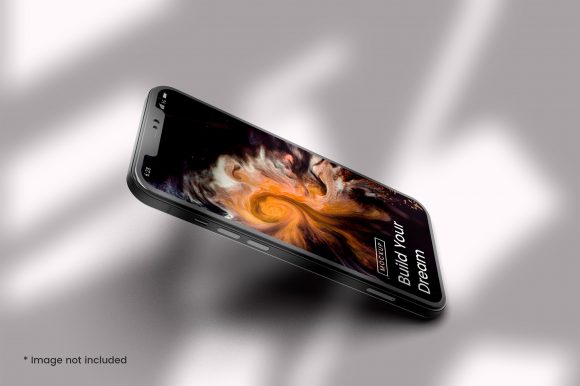
iPhone Mockup 3D Smartphone Screen: A Practical Guide
Presenting a product or idea in a realistic digital environment has never been more critical. Whether you are a startup founder pitching an app concept, a freelance designer showcasing a new interface, or a marketer building social media visuals, the way you present your screen content can determine whether someone stops scrolling or keeps going. An iPhone Mockup - 3D Smartphone Screen serves as a powerful visual tool that places your app, website, or creative work inside a lifelike iPhone frame, complete with depth, lighting, and perspective. This article explores what this tool offers, why it matters, and how you can use it effectively across professional, creative, and commercial settings.
What Is an iPhone Mockup 3D Smartphone Screen?
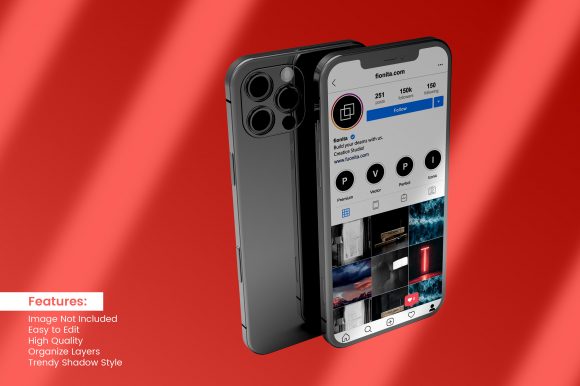
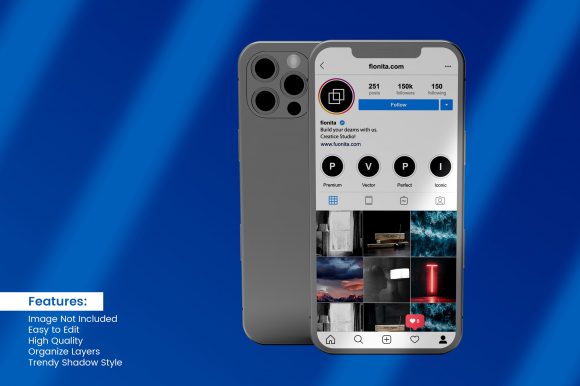
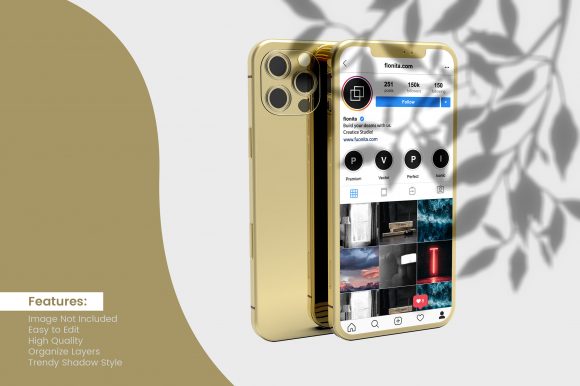
At its core, an iPhone mockup is a pre-built template or render of an iPhone device, typically shown at an angle or in a contextual scene, with a blank screen area where you can insert your own design. The 3D aspect means the mockup is rendered with realistic lighting, shadows, and perspective, making it look like a photograph of a physical device rather than a flat, two-dimensional placeholder. Many mockups come as layered files—commonly PSD or Figma formats—or as online generators where you upload a screenshot and instantly receive a polished image. The iPhone Mockup - 3D Smartphone Screen specifically refers to the screen element within that scene, often isolated or highlighted to emphasize the interface itself.
Why would you need a dedicated 3D screen mockup instead of simply taking a photo of a real phone? The answer lies in control and consistency. A 3D render eliminates glare, fingerprints, and background clutter that can distract from your content. It also allows you to place your screen in any angle, environment, or lighting scenario without needing physical props. For busy professionals, this means faster turnaround times and a more polished final product.
Key Characteristics and Strengths
The best iPhone mockups share several common qualities that make them stand out. Realistic bezels, true-to-life reflections, and accurate screen proportions are non-negotiable. A quality iPhone Mockup - 3D Smartphone Screen will also offer multiple viewpoints—front-facing, tilted, held in hand, or resting on a surface—so you can choose the perspective that best tells your story. The resolution matters too: high-resolution mockups ensure your interface remains sharp even when the image is used in large formats like websites or printed brochures.
Another strength is the flexibility to customize screen content. Whether you are displaying a mobile app, a responsive website, a video player, or a static image, you can swap out the screen content without altering the device's appearance. Many mockup sets also include variations for different iPhone models, allowing you to show your work on the latest hardware or an older version depending on your target audience. This adaptability is especially valuable for agencies and marketers who need to produce consistent visual assets across multiple campaigns.
Lighting and shadow effects are often built into the mockup as smart objects or adjustment layers. This means you can darken or brighten the scene, change the background color, or even apply a gradient without breaking the illusion of a 3D object. The result is a presentation that feels both professional and organic—something that flat screenshots cannot achieve.
Practical Applications Across Different Fields
The versatility of an iPhone Mockup - 3D Smartphone Screen makes it useful for a wide range of professionals and contexts. Let us look at several key areas where this tool can make a tangible difference.
For Designers and Creatives
If you are a UI/UX designer, you know that context is everything. Showing a wireframe or a final design on a 3D iPhone screen helps clients and stakeholders envision how the interface will look in real life. Instead of handing over a flat image, you can present your work inside a mockup that mimics the device's curves and reflections. This approach often leads to more productive feedback sessions because viewers focus on the interface rather than questioning how it will appear on an actual phone.
For graphic designers and illustrators, mockups also serve as a way to display digital art, photography portfolios, or brand assets in a lifestyle context. An Instagram post featuring a mockup of your artwork on an iPhone screen can drive more engagement than a plain image, simply because it looks like a real product.
For Entrepreneurs and Startup Founders
When you are pitching an app idea to investors or potential partners, first impressions matter. A polished mockup of your app's home screen can be the difference between a vague concept and a credible vision. Including a iPhone Mockup - 3D Smartphone Screen in your pitch deck or prototype walkthrough signals that you have thought about the user experience beyond the backend logic. It also helps non-technical stakeholders visualize the final product.
Similarly, if you are launching a landing page for a new mobile service, using a realistic mockup on the hero section can increase conversion rates. Visitors instinctively trust visuals that show your service in action, especially when it appears on a recognizable device. Several case studies from SaaS companies have reported a noticeable lift in sign-ups after switching from flat screenshots to 3D mockups in their marketing materials.
For Marketers, Bloggers, and Content Creators
Social media feeds are crowded, and standing out requires thoughtful visual strategy. A iPhone Mockup - 3D Smartphone Screen can be a recurring visual element in your content library. For instance, a tech blogger reviewing a new app might use mockups to highlight specific screens, while a social media manager might create a series of posts showing different features of a product. The consistency of using the same mockup style across posts builds brand recognition and reinforces a professional aesthetic.
Email marketers also benefit: including a mockup in a newsletter can increase click-through rates because it gives subscribers a preview of what they will see on their own devices. The illusion of holding the phone in the image creates a subtle sense of familiarity that flat images rarely achieve.
For Educators and Trainers
Teachers, trainers, and course creators often need to demonstrate how to use an app or navigate a website. A 3D iPhone mockup provides a clean, focused way to present step-by-step instructions without the distraction of a real phone's background or home screen clutter. You can insert screenshots for each step and arrange them in a sequence that learners can follow easily. This is particularly effective in online courses, tutorials, and user manuals where clarity is paramount.
Benefits Related to Usability, Branding, and Engagement
Adopting a 3D mockup approach offers several measurable benefits. From a usability perspective, the mockup itself does not affect the functionality of your product, but it does shape how people perceive its ease of use. A realistic mockup can convey that your interface is intuitive because it looks like it belongs on a real device. This psychological priming is subtle but powerful.
From a branding standpoint, using consistent mockup styles across your website, social media, and pitch materials reinforces your identity. If your brand is modern and sleek, a high-contrast, well-lit iPhone mockup aligns with that image. If your brand is more playful, you might choose a mockup with a slightly tilted angle or a warm background. The key is that the mockup itself becomes part of your visual language.
Engagement metrics often improve when visuals are realistic. A/B tests conducted by various marketing teams show that images featuring device mockups tend to generate more clicks, shares, and saves compared to plain screenshots. This is especially true on platforms like Instagram, Pinterest, and LinkedIn where professional imagery is rewarded by algorithms and human attention alike. If you are managing a brand account, investing time in creating or curating quality mockups is a low-effort, high-impact strategy.
Realistic Examples and Use Cases
Let us examine a few concrete scenarios where an iPhone Mockup - 3D Smartphone Screen plays a central role.
- Landing page hero section: A fintech startup uses a tilted iPhone mockup on their homepage, showing the app's dashboard with live transaction data. The image is set against a soft gradient background, and the phone's shadow adds depth. Visitors immediately understand the app's core function within seconds.
- App store preview screenshots: While Apple's App Store guidelines have specific requirements, many developers use 3D mockups in their promotional materials outside the store. A fitness app might show before-and-after screens using mockups, making the progress more tangible for potential users.
- Social media carousel: A travel blogger creates a carousel post featuring three iPhone mockups: one showing a flight booking app, one showing a map, and one showing a photo gallery. Each mockup is angled slightly differently, creating a visually dynamic post that encourages swipes and engagement.
- Course preview image: An online educator creates a promotional image for a course called "Master Your Mobile Productivity." The image shows an iPhone mockup with a split screen of a calendar and notes app, instantly communicating the course's focus.
Practical Considerations When Choosing and Using Mockups
Not all mockups are created equal, and making the right choice depends on your specific needs. Here are several factors to keep in mind when selecting an iPhone Mockup - 3D Smartphone Screen for your project.
File Format and Compatibility
Most professional mockups come as layered PSD files for Adobe Photoshop, but you will also find Figma plugins, Sketch templates, and even web-based generators. If you do not use design software, opt for a web-based tool where you can upload your image and download the result. Many of these tools also offer batch processing, which is useful if you need multiple mockups for a campaign.
Device Model and Screen Size
Make sure the mockup matches the iPhone model you are targeting. The screen aspect ratio changed significantly between models, and using an older mockup for a newer interface can result in stretching or cropping. The latest mockup sets often include variations for iPhone 14 Pro, iPhone 15, and the upcoming models. If your audience primarily uses older devices, include those options as well.
Background and Scene Options
Some mockups include realistic environments like desks, coffee tables, or hands holding the phone. Others are isolated on transparent backgrounds. The right choice depends on where you plan to use the image. For a website hero section, an isolated mockup with a clean background gives you more flexibility. For a lifestyle shot on Instagram, a contextual scene may resonate better with viewers.
Licensing and Attribution
Always check the license before using a mockup commercially. Some free mockups require attribution, while premium ones often come with extended licenses that allow unlimited commercial use. If you are a business owner or marketer, it is worth investing in a quality set from reputable sources like Envato Elements, Creative Market, or Figma Community to avoid legal headaches down the road.
Customization and Ease of Use
The best mockups use smart object layers that make replacing the screen content as simple as double-clicking and pasting your image. If you are not familiar with design tools, look for mockups that include clear instructions or video tutorials. Some online generators even allow you to adjust the tilt, shadow, and background color in real time.
Final Observations and Recommendations
The iPhone Mockup - 3D Smartphone Screen is more than just a trendy visual gimmick. It is a practical asset that helps you communicate your ideas clearly, build trust with your audience, and elevate the overall quality of your digital presence. Whether you are crafting a pitch deck, designing a social media campaign, or building an online course, taking the time to present your screen content inside a realistic mockup is a small effort that yields disproportionate returns.
If you are new to using mockups, start with a single high-quality set that matches your most common use case. Experiment with different angles and backgrounds, and pay attention to how your audience responds. Over time, you will develop a library of go-to mockups that streamline your workflow and ensure consistency across all your projects. In a competitive digital landscape, the difference between a flat screenshot and a 3D mockup can be the moment a potential customer decides to trust your product. Make that moment count.