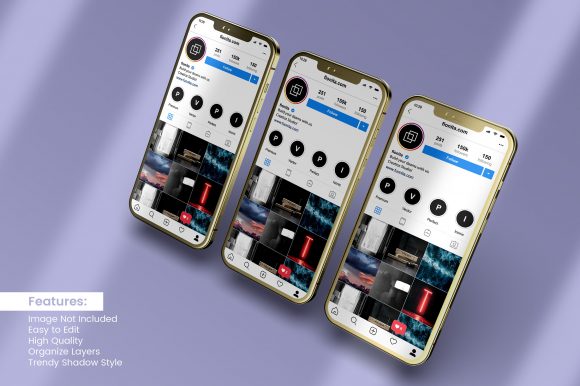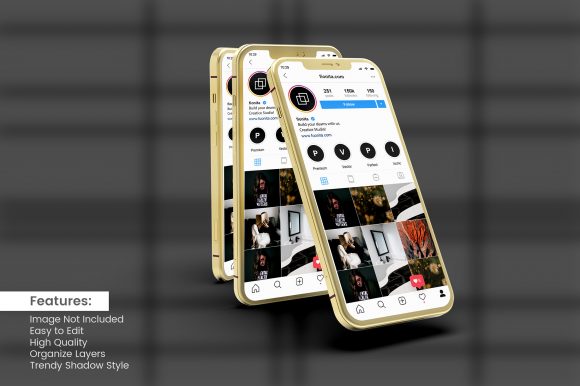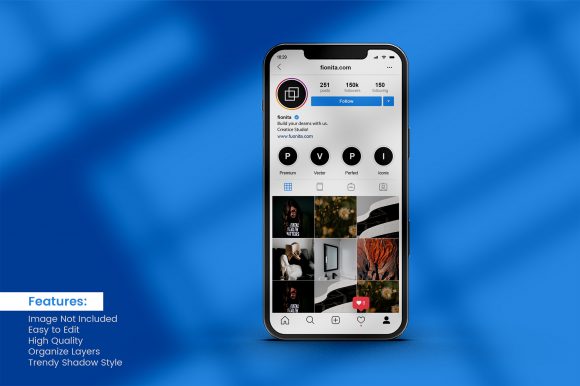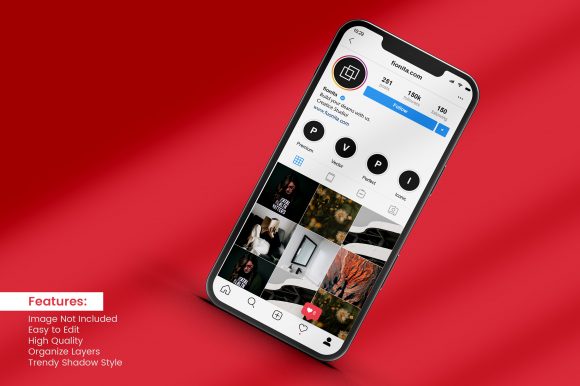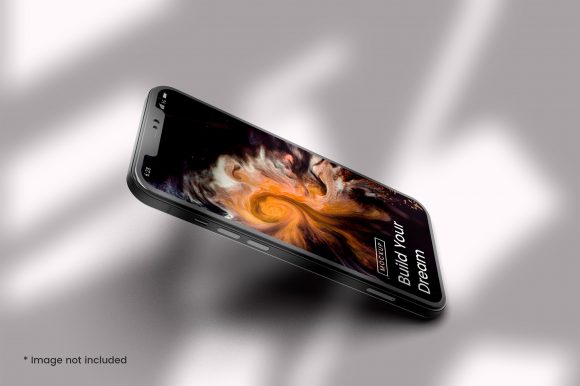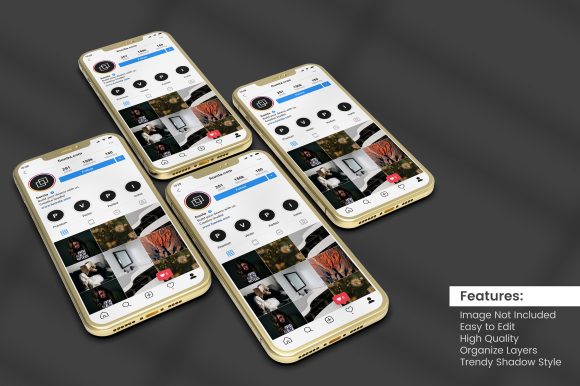
Top View 3D Smartphone Mockup Screen
When presenting a mobile app design, product interface, or digital concept, the way you display the screen can shape a viewer's first impression. Among the many presentation formats, the top view 3D smartphone mockup screen has emerged as a popular choice for designers, marketers, and product teams. This format combines an overhead perspective with a three-dimensional rendering of a smartphone, placing the screen content at the center while adding depth through shadows and device contours. Understanding what this mockup type offers, where it shines, and where it may fall short is essential for making an informed decision about whether it aligns with your presentation goals.
What Is a Top View 3D Smartphone Mockup Screen?
A top view 3D smartphone mockup screen is a digital asset that depicts a smartphone from a bird's-eye perspective, with the device rendered in three dimensions. The screen area is typically left blank or layered with a smart object so you can insert your own interface design, app screenshot, or graphic. The 3D effect is achieved through realistic shading, subtle lens distortion, and a drop shadow that simulates the device resting on a flat surface. Unlike flat, 2D mockups, the 3D rendering adds a sense of physical presence, making the screen content feel grounded and tangible.
These mockups are often delivered as editable templates in layered files (PSD, Figma, Sketch, or AI) or as downloadable renders in high-resolution PNG format. The top-down angle offers an unobstructed view of the full screen, ideal for highlighting UI layouts, color schemes, typography, and visual hierarchy without interference from hands or background clutter. This format is especially common in app store presentations, portfolio showcases, social media graphics, and marketing collateral where the screen design is the primary focus.
Why Consider a Top View 3D Smartphone Mockup?
Several reasons draw people to this specific mockup style. First, the overhead angle mirrors the popular flat lay photography trend, which feels modern and editorial. It gives your screen content a clean, organized appearance that works well on websites, Behance projects, Dribbble shots, and Instagram posts. Second, the 3D rendering conveys a higher level of polish compared to simple 2D frames, suggesting that the design is ready for production or real-world use. Third, because the view is straight down, the aspect ratio and corners of the device are clearly visible, making it easier for reviewers to assess how the design fits within a standard smartphone shape.
Additionally, these mockups save time and resources. Instead of staging a photo with a physical phone, you can produce realistic device presentations entirely digitally. You can also swap screen images quickly, create multiple variations, and maintain consistent lighting and perspective across a whole set of mockups. For teams iterating on designs, the ability to update screenshots without reshooting is a practical advantage.
Benefits
- Realistic Depth: The 3D shadows and specular highlights add a tactile quality that flat images lack, helping your design stand out.
- Minimal Distraction: The overhead view keeps the screen as the hero element, with the device serving as a subtle frame rather than a competing visual.
- Ease of Editing: Most templates use smart objects or layer masks, letting you replace the screen content in seconds while preserving the 3D shading.
- Scalability: You can use the same mockup for a wide range of screen sizes or orientations (portrait, landscape) without needing to adjust 3D elements manually.
- Consistency: If you need a series of screenshots (e.g., for an app tour), a single top view 3D mockup ensures uniform lighting, shadow, and device position across all frames.
Tradeoffs
- Static Presentation: A top view 3D mockup shows a single screen at a moment in time. It cannot easily demonstrate transitions, gestures, or interactive flows. For walkthroughs or feature demos, you might need additional assets like screen recordings or video mockups.
- Limited Context: Because the view is from above, there is no hand holding the phone, no background environment, and no reference to size relative to other objects. This can make the device appear isolated or floating if not placed in a suitable background.
- Rendering Quality Variance: Not all top view 3D mockups are created equal. Poorly rendered assets may have unrealistic shadows, mismatched perspective, or low resolution that looks unprofessional on large screens.
- File Complexity: Layered PSD or Figma files can be large and may require a working knowledge of layer groups, smart objects, and effects to edit correctly.
- Overuse: The prevalence of top view 3D mockups means they are recognizable to many designers and clients. If used without customization, your presentation may feel generic.
When a Top View 3D Smartphone Mockup Is a Strong Fit
This format excels in scenarios where clarity and simplicity are paramount. If you are preparing assets for an app store listing, the top view 3D mockup provides a clean, standardized way to display your screenshots without confusing visual noise. It also works well for UI design portfolios, where you want to present multiple app screens in a grid, letting the viewer focus on your interface decisions rather than the device.
Another strong fit is social media content. A well-lit top view mockup image can be cropped to a square or vertical aspect and used in Instagram posts, Twitter cards, or LinkedIn updates to showcase a product update or design concept. The flat lay aesthetic aligns with current visual trends, making the content feel curated and professional. Additionally, if you are creating a presentation or slide deck about mobile UX, this mockup style helps you illustrate specific design points without the distraction of hands or environmental backgrounds.
Finally, for teams that produce many similar-looking screens (e.g., various onboarding screens or dashboard views), the ability to batch-produce consistent mockups is a major efficiency gain. A single top view 3D template can be reused across multiple projects, ensuring brand consistency and reducing per-asset production time.
Situations Where Alternatives Deserve Consideration
Despite its advantages, the top view 3D smartphone mockup is not a universal solution. If your goal is to show a user interacting with the interface, a lifestyle mockup featuring hands holding the phone might communicate usability better. The added human element provides context for screen sizes, finger reach, and emotional engagement that a pure top view cannot convey.
For demos that require motion—such as demonstrating a swipe gesture, a scroll, or an animated transition—a video mockup or GIF mockup is far more effective. Static images, even well-rendered 3D ones, cannot capture the flow of interaction. Similarly, if you are building a landing page for a mobile game, an isometric or angled mockup that shows more of the device volume may be more visually engaging than a strictly top-down view.
Another alternative is a real device photograph. Authenticity can be a differentiator, especially for campaigns that emphasize human experience or trust. While a 3D mockup looks polished, a photo of an actual phone in a real setting may feel more relatable depending on your audience. If your budget and timeline allow, mixing realistic photography with 3D mockups can offer the best of both worlds.
Practical Decision-Making Insights
Before committing to a top view 3D smartphone mockup screen asset, consider these factors to ensure it meets your needs:
- Purpose of the Presentation: Are you showing the screen design in detail, or are you trying to sell a lifestyle and experience? The former points to mockups; the latter may require broader visuals.
- Format and Editability: Verify that the mockup file format is compatible with your tools. If you work in Sketch or Figma, look for native files, not just PSDs. Check whether shadows and reflections are separate layers, allowing you to adjust background seamlessly.
- Resolution and Rendering: For print or high-DPI displays, choose mockups with at least 300 dpi and scalable vector elements where possible. Avoid mockups that rely heavily on raster effects that may pixelate when enlarged.
- Licensing and Usage Rights: Free mockups often come with restrictions (e.g., no commercial use, attribution required). Paid mockups may offer broader permissions. Always read the license before using in client work or marketing materials.
- Customization Effort: If you are not familiar with smart objects or layer masks, look for mockups with clear instructions or video tutorials. Also, consider whether the mockup includes a screen reflection that may interfere with bright screenshots.
- Consistency with Brand Aesthetic: The style of the mockup—modern minimal, glossy, matte, with or without rounded corners—should match your brand identity. A mismatched look can feel jarring.
Aligning the Mockup with Your Goals
To decide whether the top view 3D smartphone mockup screen is right for you, start by defining the primary function of the visual. If you need to clearly and attractively display a single screen design with minimal distraction, this format is an excellent choice. It offers a high ratio of visual impact to production effort, especially when using well-designed templates.
However, if your communication goals extend beyond the static screen—such as demonstrating user flow, building emotional resonance, or creating a sense of scale—then supplementing or replacing the top view mockup with alternative visuals may be necessary. You might also combine formats: use a top view 3D image for the hero shot on a landing page, and then incorporate a video or animated mockup further down the page to show interaction.
Ultimately, the best mockup is the one that supports your story without calling attention to itself. The top view 3D smartphone mockup screen is a powerful tool in the designer's toolkit, valued for its clarity, realism, and ease of use. By evaluating your specific context—audience, platform, content type, and brand voice—you can leverage this format to enhance communication and make your screen designs shine.
As with any visual asset, test your mockup with a sample audience. Gather feedback on whether the presentation feels professional, credible, and engaging. With a thoughtful approach, the top view 3D smartphone mockup screen can become a reliable element of your design presentation workflow.